

As a supplier of the best laser cutters for paper, I often get asked about how accurate the preview function of these machines is. It's a crucial question because the preview function can significantly impact the quality and efficiency of paper cutting projects. So, let's dive deep into this topic and find out just how reliable this feature really is.
Understanding the Preview Function
Before we start talking about accuracy, let's quickly go over what the preview function does. In a nutshell, it allows you to see a virtual representation of how your design will look once it's cut on the paper. You can import your design into the laser cutter's software, and the preview shows you the exact path the laser will take, the position on the paper, and even gives you a sense of the scale.
The preview function is a game - changer, especially for complex designs. It saves a ton of time and materials because you can spot any potential issues before the actual cutting begins. You can adjust the design, reposition it on the paper, or even change the cutting settings right from the software.
Factors Affecting the Accuracy of the Preview Function
There are several factors that can influence how accurately the preview represents the final cut.
1. Software Precision
The quality of the laser cutter's software is a major factor. High - end software used in the best laser cutters for paper is designed with advanced algorithms that calculate the laser's path with great precision. These algorithms take into account things like the laser's beam width, the speed of the cutting process, and the type of paper being used.
However, if the software is outdated or has bugs, it can lead to inaccurate previews. For example, the preview might show a clean, smooth cut, but in reality, the edges could be rough due to incorrect calculations. That's why it's important to choose a laser cutter that comes with reliable and regularly updated software. Our Paper Laser Engraving Machine uses state - of - the - art software that ensures high - precision previews.
2. Calibration
Proper calibration of the laser cutter is essential for an accurate preview. The machine needs to be calibrated to match the specifications of the paper you're using, such as its thickness and density. If the machine isn't calibrated correctly, the preview might not reflect the actual cutting result.
For instance, if you're cutting a thick piece of cardstock and the machine is calibrated for thin paper, the preview might show a complete cut, but in reality, the laser might not be able to penetrate the cardstock fully. Regular calibration checks can help maintain the accuracy of both the preview and the final cut.
3. Mechanical Constraints
The physical components of the laser cutter can also affect the preview accuracy. Issues like loose belts, misaligned rails, or a worn - out laser tube can cause deviations between the preview and the actual cut.
Let's say the laser head isn't moving smoothly along the rails. The preview might show a straight cut, but the actual cut could end up being slightly curved or jagged. To ensure a high - accuracy preview, it's important to regularly maintain and inspect the mechanical parts of the laser cutter.
Testing the Accuracy
To get a better sense of how accurate the preview function is, I've conducted several tests on our Paper Laser Engraving Machine.
I started by creating a simple geometric design, like a square with a circle inside. I imported the design into the software and used the preview function to see how it would look once cut. Then, I ran the cutting process on different types of paper, including thin printer paper and thicker cardstock.
The results were quite impressive. In most cases, the preview matched the actual cut very closely. The edges were smooth, and the shapes were well - defined. However, I did notice some minor discrepancies when cutting on very thick paper. The preview showed a cleaner cut compared to the actual result, but this was mainly due to the limitations of the laser's power and the paper's density.
I also tested more complex designs, such as intricate patterns and detailed letters. Again, the preview function did a great job of giving me an accurate idea of what the final product would look like. These tests confirmed that while the preview function isn't perfect, it's a very reliable tool for planning and executing paper - cutting projects.
Comparing with Other Cutting Methods
When it comes to paper cutting, there are several traditional methods, such as using scissors or a Desktop vinyl cutter. But these methods can't compete with the accuracy and efficiency of a laser cutter's preview function.
With scissors, you have to rely on your hand - eye coordination, and it's very difficult to achieve precise cuts, especially for complex designs. A Desktop vinyl cutter can be more accurate than scissors, but it still lacks the ability to provide a detailed preview of the final cut.
In contrast, the preview function of a laser cutter allows you to visualize the entire cutting process before you start. You can make adjustments in real - time, ensuring that the final product meets your expectations.
Real - World Applications
The accuracy of the preview function has a huge impact on various real - world applications.
1. Crafts and DIY Projects
For crafters and DIY enthusiasts, the preview function is a godsend. Whether you're making paper flowers, greeting cards, or scrapbooking elements, you can use the preview to plan your design and make sure everything fits together perfectly. You can experiment with different layouts and sizes without wasting any paper.
2. Packaging Design
In the packaging industry, precision is key. The preview function allows designers to create accurate mock - ups of packaging designs. They can see how the folds, cuts, and perforations will look on the final product, ensuring that the packaging is both functional and aesthetically pleasing.
3. Stationery Production
For companies that produce stationery items like notebooks, envelopes, and business cards, the preview function helps in optimizing the cutting process. It allows them to fit more designs on a single sheet of paper, reducing waste and increasing efficiency.
Ensuring the Best Results
If you want to get the most accurate previews from your laser cutter, here are some tips:
- Keep your software updated. Regular updates often include bug fixes and improvements to the preview algorithms.
- Calibrate your machine regularly, especially when you switch to a different type of paper.
- Perform routine maintenance on the mechanical parts of the laser cutter to ensure smooth operation.
Conclusion
So, how accurate is the preview function of the best laser cutter for paper? While it's not 100% perfect, it's incredibly reliable and a valuable tool for anyone working with paper cutting. The accuracy depends on factors like software precision, calibration, and mechanical condition, but with proper care and maintenance, you can achieve very close matches between the preview and the final cut.

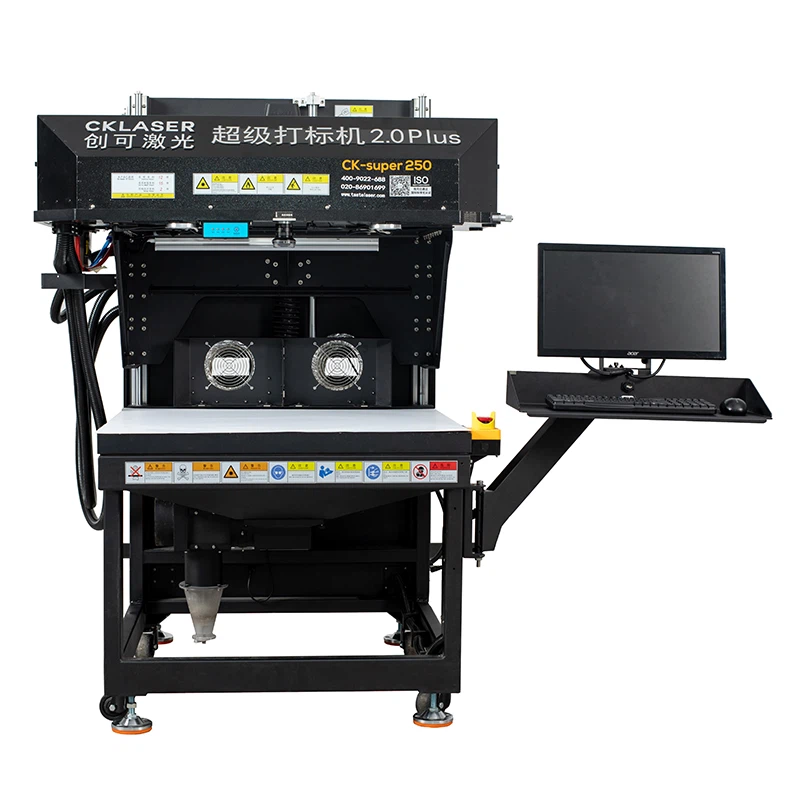
If you're interested in purchasing a high - quality laser cutter for paper with an accurate preview function, don't hesitate to reach out. We're here to help you find the perfect machine for your needs and answer any questions you might have. Whether you're a small - scale crafter or a large - scale production company, our Paper Laser Engraving Machine can provide the precision and efficiency you're looking for.