

As a supplier of laser cut sticker printing, I understand the significance of choosing the right software for designing laser cut stickers. The software you select can significantly impact the quality, efficiency, and creativity of your sticker designs. In this blog post, I'll share some insights on how to choose the appropriate software for this task.
Understanding Your Requirements
Before diving into the world of software options, it's crucial to understand your specific requirements. Consider the following factors:
- Design Complexity: Are you creating simple, geometric stickers or intricate, detailed designs? If you're working on highly complex designs, you'll need software with advanced features for precision and flexibility.
- File Compatibility: Ensure that the software supports the file formats commonly used in laser cutting, such as SVG, DXF, and AI. Compatibility with these formats allows for seamless transfer of your designs to the laser cutting machine.
- User Skill Level: Consider your own skill level and that of your design team. Some software options are more user - friendly and suitable for beginners, while others offer advanced features that may require more technical expertise.
Types of Software for Laser Cut Sticker Design
There are several types of software available for designing laser cut stickers, each with its own strengths and weaknesses.
Vector Graphics Software
Vector graphics software, such as Adobe Illustrator and Inkscape, is a popular choice for designing laser cut stickers. These programs allow you to create and edit vector - based designs, which are ideal for laser cutting because they can be scaled to any size without losing quality.
- Adobe Illustrator: This industry - standard software offers a wide range of tools for creating professional - looking designs. It has a steep learning curve but provides unparalleled control over every aspect of your design. With features like advanced drawing tools, color management, and the ability to work with layers, Adobe Illustrator is suitable for both simple and complex sticker designs.
- Inkscape: An open - source alternative to Adobe Illustrator, Inkscape is free to use and offers many of the same features. It has a more accessible learning curve and is a great option for beginners or those on a budget. Inkscape also has a large community of users, which means you can find plenty of tutorials and resources online.
CAD Software
Computer - Aided Design (CAD) software, such as AutoCAD, is another option for designing laser cut stickers. CAD software is typically used for engineering and architectural designs but can also be used for creating precise sticker designs.
- AutoCAD: This powerful software is known for its accuracy and precision. It allows you to create detailed 2D and 3D designs, which can be useful if you're creating stickers with complex shapes or dimensions. However, AutoCAD has a steeper learning curve compared to vector graphics software and may be overkill for simple sticker designs.
Laser Cutting - Specific Software
Some software is specifically designed for laser cutting and offers features tailored to this process.
- RDWorks: This software is commonly used with many laser cutting machines. It allows you to import designs, set cutting parameters, and control the laser cutting process. RDWorks is relatively easy to use and provides a straightforward way to prepare your designs for laser cutting.
Evaluating Software Features
When choosing software for designing laser cut stickers, it's important to evaluate the features it offers. Here are some key features to consider:
- Precision Tools: Look for software that offers precise drawing and editing tools. This includes tools for creating straight lines, curves, and shapes with high accuracy.
- Color Management: Good color management is essential for creating stickers with accurate colors. The software should allow you to select and manage colors easily and ensure that the colors on your design match the final printed stickers.
- Layer Management: Layers are a useful feature for organizing your design elements. You can use layers to separate different parts of your design, such as the background, text, and graphics. This makes it easier to edit and manage your design.
- Export Options: Ensure that the software allows you to export your designs in the file formats required by your laser cutting machine. This may include SVG, DXF, and AI files.
Considering Cost and Licensing
Cost is an important factor when choosing software. Some software options, such as Adobe Illustrator, require a subscription or a one - time purchase, while others, like Inkscape, are free. Consider your budget and the long - term costs of using the software.
- Subscription - Based Software: Software like Adobe Illustrator offers a subscription - based model, which means you pay a monthly or annual fee to use the software. This can be a cost - effective option if you need access to the latest features and updates.
- One - Time Purchase Software: Some software, such as AutoCAD, can be purchased outright. This may be a better option if you don't want to pay ongoing subscription fees.
- Free Software: Free software like Inkscape is a great option for those on a tight budget or for beginners who want to try out sticker design without investing in expensive software.
User Support and Community
Good user support and a strong community can make a big difference when using software. Look for software that offers comprehensive documentation, tutorials, and a responsive support team. A large community of users can also be helpful, as you can find answers to your questions and learn from others' experiences.
- Documentation and Tutorials: Check if the software comes with detailed documentation and tutorials. This can help you learn how to use the software effectively and troubleshoot any issues you may encounter.
- Support Team: A responsive support team can be invaluable if you run into problems with the software. Look for software that offers email, phone, or live chat support.
- Community Forums: Community forums allow you to connect with other users of the software. You can ask questions, share tips, and learn from others' experiences.
Testing and Trial Periods
Before committing to a particular software, it's a good idea to test it out. Many software companies offer free trial periods, which allow you to try the software and see if it meets your needs. During the trial period, you can create some sample sticker designs and evaluate the software's features, ease of use, and performance.

Industry - Specific Considerations
As a laser cut sticker printing supplier, there are some industry - specific considerations to keep in mind when choosing software.
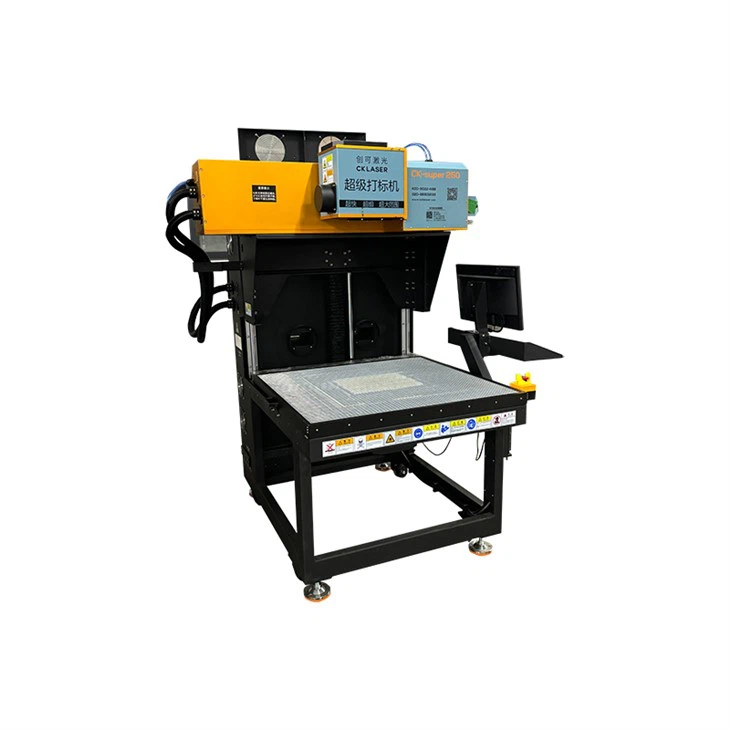
- Integration with Laser Cutting Machines: Ensure that the software you choose is compatible with your laser cutting machine. Some software may require specific drivers or settings to work properly with certain machines.
- Batch Processing: If you're producing a large number of stickers, look for software that offers batch processing capabilities. This allows you to process multiple designs at once, saving time and increasing efficiency.
- Customization and Branding: Consider software that allows you to customize your designs and incorporate your brand elements. This can help you create unique and professional - looking stickers for your clients.
Conclusion
Choosing the right software for designing laser cut stickers is a crucial decision that can impact the quality and efficiency of your sticker printing business. By understanding your requirements, evaluating software features, considering cost and licensing, and testing the software, you can find the software that best suits your needs.
If you're interested in learning more about our laser cut sticker printing services or have any questions about the software we use, we'd love to hear from you. Contact us to start a discussion about your sticker design and printing needs. We're here to help you create high - quality, customized stickers that meet your specific requirements.
References
- Adobe Illustrator official documentation
- Inkscape official website and user community
- AutoCAD official resources
- RDWorks user guides and support materials