

Hey there! I'm a supplier of leather engraving machines, and I often get asked about how to operate these nifty devices remotely. It's a pretty cool topic, and I'm stoked to share some insights with you.
First off, let's talk about why remote operation is such a big deal. In today's fast - paced world, we don't always have the luxury of being right next to our machines. Maybe you're at a trade show, or you're on vacation but still want to keep an eye on things at the workshop. Remote operation allows you to control your leather engraving machine from anywhere with an internet connection.
Setting Up for Remote Operation
The first step in operating a leather engraving machine remotely is getting the right hardware and software in place. Most modern leather engraving machines come with built - in Wi - Fi or Ethernet capabilities. This means they can connect to your local network easily. You'll need to make sure your machine is properly configured to connect to your router. Just follow the instructions in the user manual – it's usually as simple as entering your Wi - Fi password.
Once your machine is connected to the local network, you'll need to install the corresponding software on your computer or mobile device. Our company provides a dedicated app that you can download from the App Store or Google Play. This app is super user - friendly, even if you're not a tech whiz. It allows you to send engraving designs, adjust settings, and monitor the progress of your engraving jobs.
Connecting to the Machine Remotely
Now, if you want to access your machine from outside your local network, you'll need to set up a secure connection. One way to do this is through a Virtual Private Network (VPN). A VPN creates a secure tunnel between your device and your local network, ensuring that your data is encrypted and safe from prying eyes. There are many VPN services available, and you can choose one that suits your needs.
Another option is to use a cloud - based platform. Our leather engraving machines are compatible with some popular cloud services. With a cloud - based setup, you can upload your designs to the cloud, and the machine will retrieve them when it's ready to start the engraving process. This way, you don't have to worry about the distance between you and your machine.
Designing for Remote Engraving
When you're operating the machine remotely, it's important to have well - prepared designs. You can use design software like Adobe Illustrator or CorelDRAW to create your leather engraving designs. Make sure your designs are in a compatible file format, such as DXF or AI. These formats can be easily imported into our engraving software.
Before sending the design to the machine, double - check the settings. You'll need to adjust things like engraving speed, power, and depth according to the type of leather you're using. Different leathers have different properties, so it's crucial to get these settings right to achieve the best results.
Monitoring and Troubleshooting
One of the great things about remote operation is that you can monitor the progress of your engraving jobs in real - time. The app on your device will show you the status of the machine, including whether it's engraving, paused, or completed the job. You can also view a live feed of the engraving process if your machine is equipped with a camera.
But what if something goes wrong? Well, don't panic. The app has a troubleshooting section that provides step - by - step guides for common issues. If you can't solve the problem on your own, our customer support team is just a click away. We're always here to help you get your machine up and running again.
Related Products
By the way, we also have some other awesome products that might interest you. Check out the CKLASER 350w Laser Jeans Washing And Denim Wash Machine To Get Light Wash Jeans And Light Wash Denim. It's a great machine for creating trendy light - wash jeans. And if you're into paper cutting, the Best Laser Cutter For Paper is a must - have. We also offer a Heat Transfer Vinyl Laser Marking Machine for those who want to add some cool designs to their T - shirts.

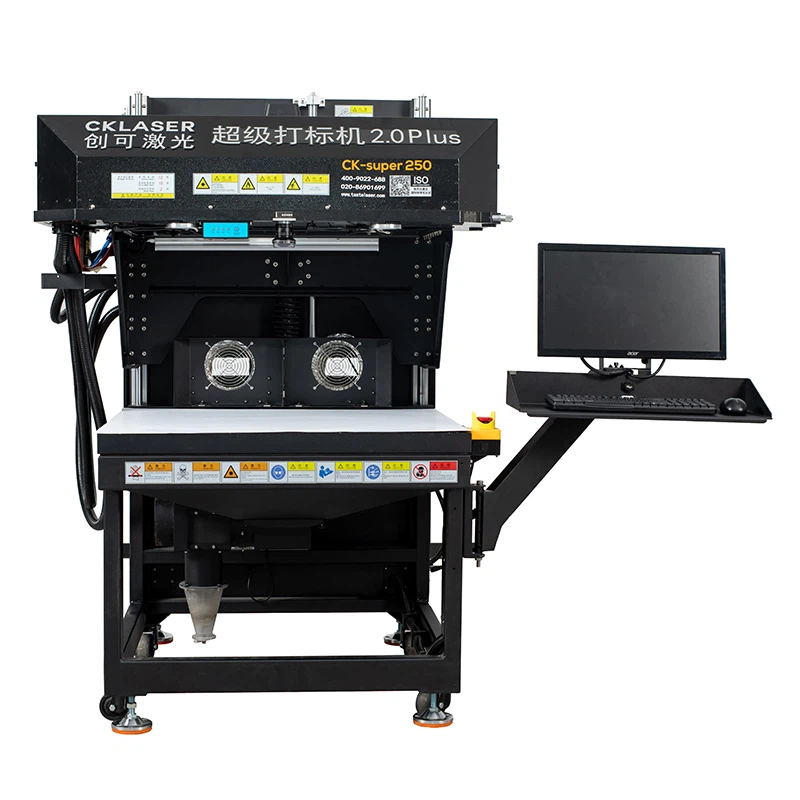
Why Choose Our Leather Engraving Machines
Our leather engraving machines are top - of - the - line. They're built with high - quality components, which means they're durable and reliable. The engraving precision is amazing, allowing you to create detailed and beautiful designs on leather. And with the remote operation feature, you have the flexibility to manage your engraving business from anywhere.
If you're in the market for a leather engraving machine or want to upgrade your existing one, we'd love to hear from you. Whether you're a small - scale artisan or a large - scale manufacturer, our machines can meet your needs. Just reach out to us, and we'll be happy to discuss your requirements and provide you with a customized solution.
Conclusion
Operating a leather engraving machine remotely is not as complicated as it might seem. With the right setup, you can have full control over your machine from anywhere in the world. It gives you the freedom to manage your engraving business more efficiently and effectively. So, if you're looking for a way to take your leather engraving to the next level, remote operation is definitely worth considering.
If you have any questions or want to learn more about our leather engraving machines, don't hesitate to contact us. We're always eager to help you make the most of your engraving experience.
References
- User manual of our leather engraving machines
- Guides on VPN setup and cloud - based operation
- Design software documentation for Adobe Illustrator and CorelDRAW