

As a supplier of CO2 laser engraving machines, I understand the importance of keeping your equipment up - to - date. Software upgrades are a crucial part of maintaining the performance, functionality, and security of your CO2 laser engraving machine. In this blog, I will guide you through the process of upgrading the software of a CO2 laser engraving machine.
Why Upgrade the Software?
Before diving into the upgrade process, it's essential to understand why software upgrades are necessary. First of all, software upgrades often bring new features. These can include improved engraving precision, support for new file formats, or enhanced user interfaces. For example, a new version of the software might allow you to engrave more complex patterns with higher accuracy, which can be a significant advantage if you're working on high - end projects.
Secondly, software upgrades can fix bugs and glitches. Over time, you may encounter issues such as unexpected errors during engraving or problems with file import. Upgrading the software can resolve these issues, ensuring smooth operation of your machine.
Lastly, security is a major concern. As technology evolves, so do the threats. Software upgrades often include security patches that protect your machine from potential cyber - attacks, safeguarding your data and the integrity of your engraving operations.
Pre - upgrade Preparations
Back up Your Data
Before starting the software upgrade, it's crucial to back up all your important data. This includes any custom engraving patterns, settings, and user profiles. Losing this data during the upgrade process can be a significant setback. You can back up your data to an external hard drive, a cloud storage service, or a USB flash drive.
Check Compatibility
Make sure that the new software version is compatible with your CO2 laser engraving machine. Different models may have specific software requirements. You can usually find this information in the machine's user manual or on the manufacturer's website. If you're unsure, contact our support team, and we'll be happy to assist you.
Update Your Hardware
In some cases, a software upgrade may require certain hardware components to be updated. For example, a new version of the software might need a more powerful processor or additional memory to run smoothly. Check the system requirements of the new software and ensure that your machine meets them. If not, you may need to upgrade your hardware before proceeding with the software upgrade.
The Upgrade Process
Download the Software
The first step in the upgrade process is to download the new software version. Visit the official website of your CO2 laser engraving machine's manufacturer. Look for the software download section and find the latest version that is compatible with your machine. Make sure to download the software from a trusted source to avoid any security risks.

Install the Software
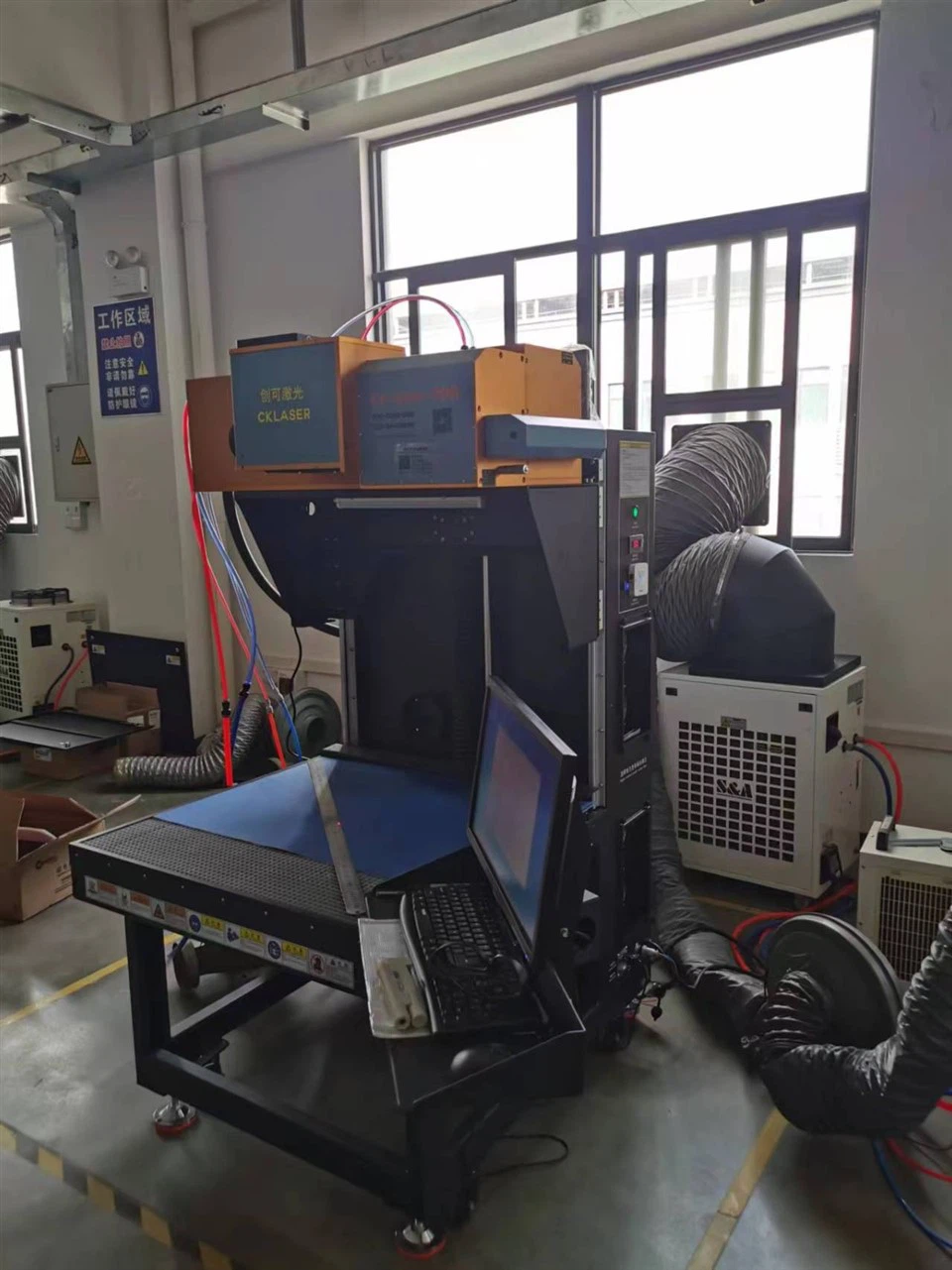
Once the download is complete, run the installation file. Follow the on - screen instructions carefully. The installation process may vary depending on the operating system of your computer and the software itself. During the installation, you may be asked to choose installation options, such as the installation directory. Make sure to select the appropriate options based on your preferences and system requirements.
Configure the Software
After the installation is complete, you need to configure the software to work with your CO2 laser engraving machine. This may involve setting up the machine's parameters, such as the laser power, speed, and resolution. You can usually find the configuration settings in the software's settings menu. Refer to the user manual for detailed instructions on how to configure the software for your specific machine.
Test the Software
Once the software is configured, it's time to test it. Try engraving a simple pattern on a test material, such as a piece of scrap wood or acrylic. Check if the engraving quality is satisfactory and if there are any error messages. If you encounter any problems, refer to the troubleshooting section of the user manual or contact our support team for assistance.
Troubleshooting Common Issues
Installation Errors
If you encounter installation errors, such as a failed installation or an error message during the installation process, first check if your computer meets the system requirements. Make sure that you have enough disk space and that your operating system is up - to - date. If the problem persists, contact our support team, and we'll help you resolve the issue.
Compatibility Issues
Sometimes, the new software may not be fully compatible with your machine or other software on your computer. If you experience compatibility issues, try updating your machine's firmware or uninstalling any conflicting software. If the problem still exists, contact our support team for further assistance.
Engraving Quality Issues
If you notice a decrease in engraving quality after the software upgrade, check the software settings. Make sure that the laser power, speed, and resolution are set correctly. You may also need to clean the laser lens and check the alignment of the machine. If the problem persists, contact our support team for a more in - depth analysis.
Benefits of Upgrading Your CO2 Laser Engraving Machine Software
Enhanced Performance
Upgrading the software can significantly improve the performance of your CO2 laser engraving machine. You'll be able to engrave faster, with higher precision, and with more complex patterns. This can increase your productivity and the quality of your work.
Access to New Features
New software versions often come with exciting new features. For example, you may gain access to advanced editing tools, support for new file formats, or improved connectivity options. These features can expand your capabilities and allow you to take on more challenging projects.
Improved Security
As mentioned earlier, software upgrades include security patches that protect your machine from potential threats. By keeping your software up - to - date, you can ensure the safety of your data and the smooth operation of your machine.
Related Products
If you're interested in exploring different types of CO2 laser engraving machines, we have a variety of options available. Check out our Leather Engraving Machines, which are specifically designed for engraving on leather materials. We also offer the CKLASER Laser Marking Machine For Heat Transfer Vinly Engraving and Cutting, which is perfect for working with heat transfer vinyl. And if you're into nail stickers, our Nail Stickers Laser Engraving Machine is a great choice.
Conclusion
Upgrading the software of your CO2 laser engraving machine is a relatively straightforward process that can bring numerous benefits. By following the steps outlined in this blog, you can ensure a smooth and successful upgrade. If you have any questions or need further assistance, don't hesitate to contact us. We're here to help you get the most out of your CO2 laser engraving machine. Whether you're a small business owner or a hobbyist, upgrading your software can take your engraving projects to the next level. So, take the time to upgrade your software and experience the difference it can make.
References
- Manufacturer's user manual for CO2 laser engraving machines
- Industry - related technical articles on CO2 laser engraving software upgrades